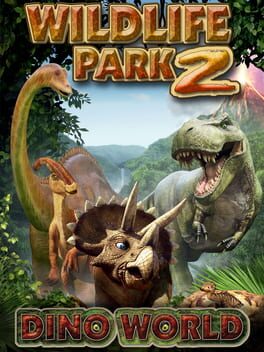
Wildlife Park 2 is an indie developed by b-alive, released 12 May 2006 on PC (Microsoft Windows).
What Wildlife Park 2 is
Wildlife Park 2 is an indie game developed by b-alive and released in 2006. It is available on PC (Microsoft Windows) only. It carries an PEGI 3 age rating.
The premise, in the publisher's words
Wildlife Park is a construction and management simulation game released in 2003. Like Zoo Tycoon and Zoo Empire, the game involves players in building a wildlife park or zoo. The game spawned two sequels, which are simply named Wildlife Park 2 and Wildlife Park 3.
How it plays
It is a single-player game with no multiplayer component.
How it was received
Wildlife Park 2 holds a critic score of 82 out of 100. That places it above 78% of the 5,114 rated indie games in our database, which average 72. Games released in 2006 averaged 65, so it scored 17 points above the year average.
What you need to run it
The minimum specification calls for Intel Pentium IV 2 GHz or compatible, 512 MB RAM and DirectX 9c compatible, 64 MB RAM. At 1GB of RAM, it will run on essentially any working PC — that is below what a budget laptop ships with today. Install size is roughly 3GB. Both tiers are compared side by side on the requirements page, and you can check your own parts against them without installing anything.
What it launched against
Wildlife Park 2 launched on 12 May 2006, within three weeks of Half-Life 2: Episode One, New Super Mario Bros., Hitman: Blood Money and Heroes of Might and Magic V. It reviewed better than 1 of the 4.
Released around the same time: Half-Life 2: Episode One, New Super Mario Bros., Hitman: Blood Money, Heroes of Might and Magic V.
Screenshots
All media


Dlc




| Official website | www.b-alive.de |
|---|
Quick answers
Wildlife Park 2 — frequently asked questions
When did Wildlife Park 2 come out?
What are the minimum PC requirements for Wildlife Park 2?
How many GB is Wildlife Park 2?
Does Wildlife Park 2 have controller support?
Can you play Wildlife Park 2 on Mac?
Is Wildlife Park 2 on Linux?
What age rating is Wildlife Park 2?
Can a 12-year-old play Wildlife Park 2?
Does Wildlife Park 2 have Denuvo?
Does Wildlife Park 2 need a third-party account?
Is Wildlife Park 2 available in Germany?
If you like this